




Daily and weekly data exports by email
Export daily or weekly performance data straight to your inbox. Scoped to your current view, tab-aware, and non-blocking — request the export and keep working.
What shipped
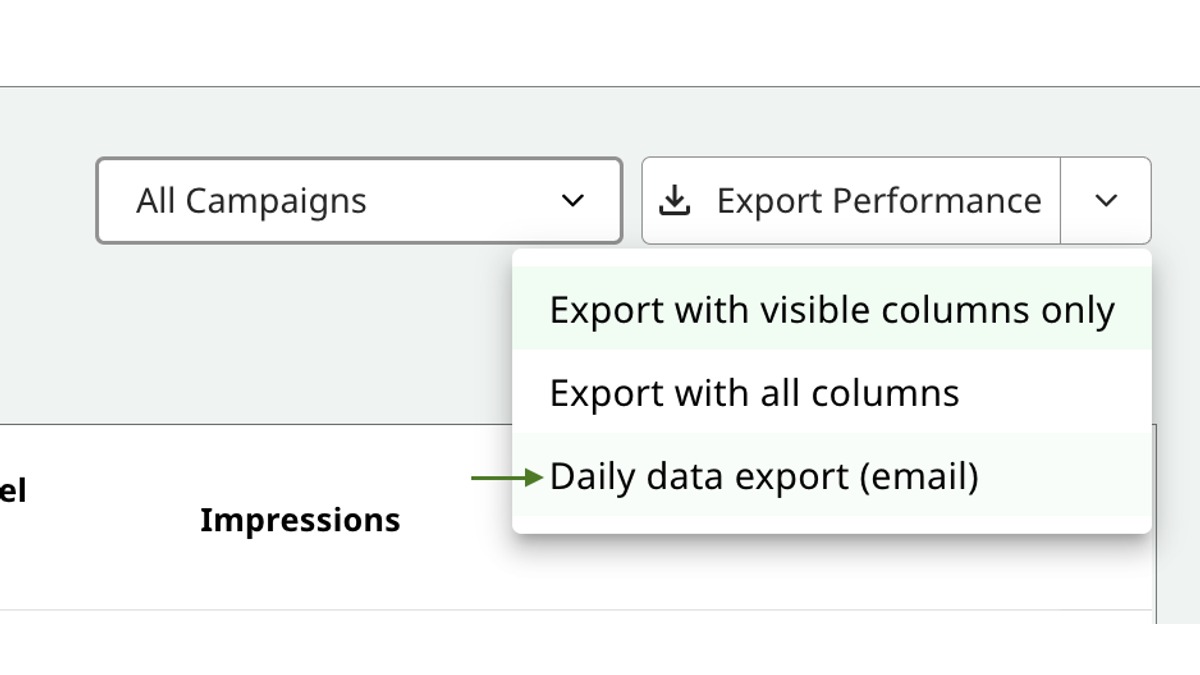
A third option on the Performance page's export dropdown: Daily data export (email) or Weekly data export (email) — the label dynamically reflects the granularity you currently have selected. Request the export, and Prescient emails a CSV of your current view.
The feature works across all three Performance tabs: Channels, Campaigns, and Tactics. Columns are automatically filtered per tab, so you won't get campaign-specific columns in a channel-level export.
Why it matters
Until today, getting daily or weekly breakdowns of channel and campaign performance required hitting the API or rebuilding the view in a BI tool like Looker or Tableau. Neither is fast, and neither is available to non-technical users.
The new email export gives every user on your team direct, self-serve access to the exact granularity they need — no tickets, no engineering support, no waiting on someone else's query.
How it works
When you click the new option, Prescient captures your current view configuration and delivers the CSV asynchronously:
- Date range you have selected
- Active tab (Channels, Campaigns, or Tactics)
- Visible columns — the export respects what you've chosen to show on screen
- Model configs currently applied
- Sales channel filter
You see a confirmation toast immediately — "Export requested! You'll receive an email with the CSV shortly." — and you keep working while the file is generated and delivered.
If the request fails, you see a clear error message: "Failed to request export. Please try again."
Where to find it
Go to the Performance tab, open the export dropdown next to the Performance selector, and pick the third option. The label will read either "Daily data export (email)" or "Weekly data export (email)" depending on the granularity you currently have selected.
Notes
- Output format is CSV.
- The first two dropdown options (visible columns CSV, all columns CSV) are unchanged — the email export is purely additive.