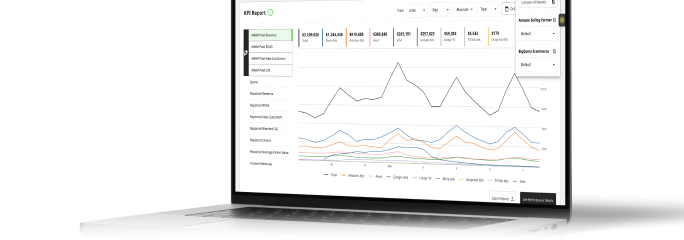
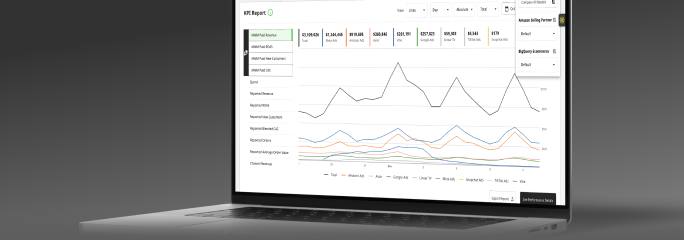



How to use company-wide forecasting to build trust before making changes
Learn how to use Prescient's company-wide forecasting and backtesting to validate model accuracy and build internal trust before making budget changes.
Linnea Zielinski · 5 min read
When a new financial advisor joins your team, you don't hand them the company's entire investment portfolio on day one. Even if their credentials are strong and their recommendations are sound, you'd probably want to see how they think through a few decisions first: watching their logic play out, checking their calls against what actually happened, and building a track record before giving them real authority over real dollars.
Adopting a new measurement platform works the same way. Prescient can tell you what to do with your budget, but trusting those recommendations enough to act on them is a separate step, and that takes more than a good-looking demo. That's exactly what our company-wide forecasting is built for. It lets our model earn your trust by showing you what it would have predicted during a period you already know the outcome of, before you've changed a single budget line.
Key takeaways
- Company-wide forecasting in the Prescient platform lets you forecast your brand's total ecommerce revenue and backtest the model's predictions against historical performance you already know the outcome of.
- The forecast breaks down how much revenue the model attributes to paid media, seasonality, holidays, and organic factors like word of mouth, giving you a complete picture of what's driving your business, not just your campaigns.
- Backtesting against a period you've already lived through is the most direct way to assess whether the model understands your brand before you act on its forward-looking recommendations.
- A model that tracks the general shape of your revenue curve across a past period, including peaks, troughs, and seasonal variation, is one that has learned your brand's patterns well enough to forecast what comes next.
- Company-wide forecasting is separate from per-campaign and per-scenario forecasting, which are designed for specific budget decisions rather than overall model validation.
- The backtesting output is also useful for internal alignment: showing stakeholders how the model performed against known history is more persuasive than asking them to trust a forward projection they can't verify.
- Once you've validated model accuracy with company-wide forecasting, the natural next step is running scenarios in the Optimizer to see what the model recommends.
What company-wide forecasting is actually doing
Prescient offers three ways to forecast future performance: per-campaign forecasting, which uses saturation curves to model what would happen if you change spend on a specific campaign; per-scenario forecasting, which models the impact of budget changes across multiple campaigns at once; and company-wide forecasting, which takes the broadest view.
The company-wide tool models your brand's total ecommerce revenue and breaks it down across four drivers: paid media, seasonality, holidays, and organic or word-of-mouth revenue. It's not asking how much you should spend on Meta next month. It's asking a more fundamental question: does the model understand our business overall?
When you look back at a historical period and compare the model's predicted revenue to what actually happened, you're doing more than checking a number. This feature lets you assess whether the model correctly understood the interplay between your media spend, seasonal patterns, and organic revenue across a range of real conditions. That's a much richer validation than any forward-looking projection can offer.
How to use backtesting as a trust-building step
Backtesting is most valuable when you approach it deliberately rather than treating it as a passive check. Here's how to get the most out of it.
Choose a period with meaningful variation
The most informative backtesting periods aren't steady-state. Pick a timeframe that includes some variation: a promotional event, a significant budget shift, a seasonal spike, or a stretch where something unexpected happened in your business. The more your revenue moved around during that period, the better a test it is of whether the model can track the signal through the noise.
A flat, uneventful quarter tells you the model can fit a trend line, but a period with real variation tells you whether the model understands the underlying drivers well enough to follow your revenue when conditions change.
Look at how the model splits revenue across drivers
Before comparing total revenue numbers, look at how the model attributes revenue across paid media, seasonality, holidays, and organic. Does the split feel credible for the period you picked? If you ran a major promotion and the model attributes most of the lift to organic or seasonality rather than paid media, that's worth understanding before you draw any conclusions. Discrepancies like that don't necessarily mean the model is wrong. Sometimes they reveal something real about how your business works, but they're worth exploring with your customer success rep before you move forward.
Compare the model's prediction to what actually happened
The headline check: how close is the model's total revenue prediction to what your brand actually generated? Perfect accuracy isn't the expectation. No model produces exact predictions, but a model that tracks the general shape of your revenue curve across a multi-month period, including peaks and troughs, is one that has learned your brand's patterns. That's what gives you a defensible basis for trusting its forward-looking recommendations.
If the predicted line tracks your actual revenue reasonably well across the backtesting period, you've done the most important trust-building work. This feature exists because we didn’t expect you to leap into the unknown with the model right away. We wanted it to be able to show you what it already knows about your brand.
Using the results to build internal alignment
Backtesting output is one of the most practical tools available for building buy-in with leadership, finance, or any stakeholder who needs to understand why the team is acting on Prescient's recommendations before they'll support the changes.
A chart showing how closely the model's predictions tracked actual revenue over a meaningful historical period (including a promotional spike, a seasonal shift, or a significant spend change) is a fundamentally different kind of argument than a forward projection. It's verifiable. The audience can look at it and say "yes, that's what happened" or "that diverges from what I remember, let's understand why." That kind of grounded conversation builds more durable confidence than any sales narrative.
If you're preparing to present optimization recommendations to a leadership team or a finance partner who hasn't been involved in the evaluation process, leading with the backtesting results before showing the forward recommendations gives the whole conversation a more credible foundation.
From trust to action
Once you've worked through the backtesting process and you're confident the model understands your brand, company-wide forecasting has done its job. The next step is moving into Prescient’s Optimizer, where you can run scenarios and see specific spend recommendations at the campaign level alongside confidence scores that tell you how much reliable data sits behind each one.
If you're not sure how to read those confidence scores or weigh them against your own risk tolerance once you get there, this article on when to act on an optimizer recommendation walks through the full decision framework.
Wrapping it up…
Company-wide forecasting exists because Prescient's view is that a model should earn your trust before it asks you to act. The backtesting capability is designed to let you assess model accuracy on your own terms, using your own historical data in a period you already know the outcome of, before any budget decisions are on the table. That's how we think the relationship between a measurement platform and the team using it should work.
If you're not yet using Prescient and want to see how company-wide forecasting and backtesting work alongside the Optimizer, book a demo with our expert team.
The Halo
Exclusive insights, every week.
Subscribe to The Halo for sharper marketing thinking.
You're subscribed to The Halo!
Quick question (optional): How familiar are you with MMM?
Thanks for sharing! Enjoy The Halo.
Keep reading
View all
Your peak-season ROAS targets are probably wrong for retail too
Read article
What is data quality? Core dimensions, common issues, and how to measure it
Read article
Why budget planning season is the worst time to trust your attribution data
Read article
BFCM marketing: How to run your best season and actually know why it worked
Read article
What is EDDM? Every Door Direct Mail explained
Read article
Top of funnel marketing tactics that work and how to prove it
Read article